A Python script that sorts my photos while I'm doing something else
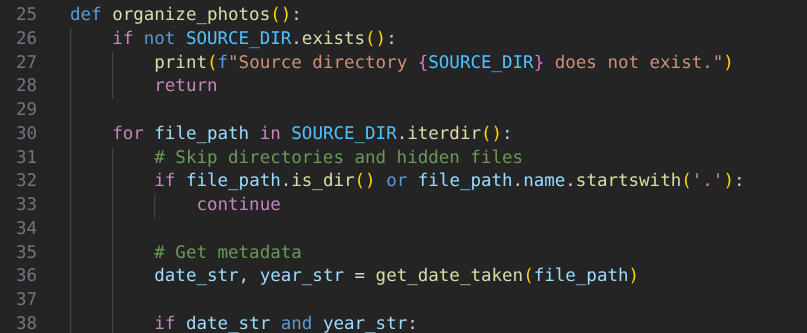
I have a folder named to_digikam on my Fedora computer where photos and videos land. They come from many places: Syncthing transfers from my Mac, camera offloads, or cloud exports. They arrive with generic names like IMG_0842.heicor PXL_20260421.jpg, sitting in one flat, chaotic pile until I find the time to deal with them.
I wanted a workflow that would handle one tedious part of my organization workflow automatically. Specifically, a script that would:
- Extract the YYYY-MM-DD from the actual photo metadata.
- Rename the file by prepending that date to the original filename.
- Move the file into a
year/unsorteddirectory within my main digiKam library.
I’m a big fan of Derek Sivers’ approach to photo file naming: embedding context directly into the filename. Something like 2025-09-12 Sky at the beach.jpg is more useful to me than IMG_5502.jpg.
The filesystem's "modified date" is fragile - many normal copy and sync operations reset it. The only real record is the metadata that tracks when the photo was taken. We can use ExifTool (the perl-Image-ExifTool package on Fedora), to read that internal timestamp and place it in the filename. The code then moves the file to Pictures/photos/[YEAR]/Unsorted/. I still keep the "Unsorted" folder because then I can look at it in digiKam and decide if it should be in an album or have a tag or something.
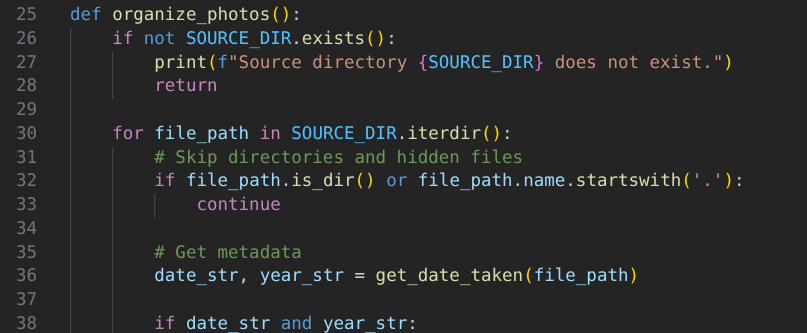
The Mac-to-Fedora Handshake:
A cool part of this setup is the visual feedback. On my Mac, I export a photo into a synced folder. A few minutes later, the file vanishes. Because Syncthing is keeping the folders mirrored, the Fedora machine moving the file out of to_digikam triggers a "delete" on the Mac. That empty folder means Fedora handled it.
For the schedule, I went with a systemd user timer instead of a traditional cron job. On Fedora, this is the native way to handle background tasks. Unlike cron, systemd timers:
- are aware of system states (if the machine is asleep, the timer can catch up immediately upon wake).
- log directly to
journalctlfor easy troubleshooting. - run entirely under my user account, keeping the automation isolated from the root system.
I described the logic to Gemini and it generated the Python backbone. After a few manual tweaks for my specific folder structures...success!
import os
import shutil
import subprocess
from pathlib import Path

# --- CONFIGURATION ---
# Edit these two lines for your machine.
SOURCE_DIR = Path("/home/YOUR_USERNAME/path/to/intake_folder")
DEST_BASE = Path("/home/YOUR_USERNAME/Pictures/photos")
# ---------------------

def get_date_taken(file_path):
    """Uses exiftool to get the DateTimeOriginal metadata."""
    try:
        cmd = ["exiftool", "-DateTimeOriginal", "-d", "%Y-%m-%d %Y", "-S", "-s", str(file_path)]
        result = subprocess.run(cmd, capture_output=True, text=True, check=True)
        if result.stdout:
            return result.stdout.strip().split(' ')
    except Exception as e:
        print(f"Error reading metadata for {file_path}: {e}")
    return None, None

def organize_photos():
    if not SOURCE_DIR.exists():
        print(f"Source directory {SOURCE_DIR} does not exist.")
        return
    for file_path in SOURCE_DIR.iterdir():
        if file_path.is_dir() or file_path.name.startswith('.'):
            continue
        date_str, year_str = get_date_taken(file_path)
        if date_str and year_str:
            new_name = f"{date_str} {file_path.name}"
            target_dir = DEST_BASE / year_str / "Unsorted"
            target_path = target_dir / new_name
            target_dir.mkdir(parents=True, exist_ok=True)
            print(f"Moving: {file_path.name} -> {target_path}")
            shutil.move(str(file_path), str(target_path))
        else:
            print(f"Skipping {file_path.name}: No EXIF date found.")

if __name__ == "__main__":
    organize_photos()
I expect to edit this for edge cases and more date related naming in case that one metadata field is not always accurate, but this is a great start.